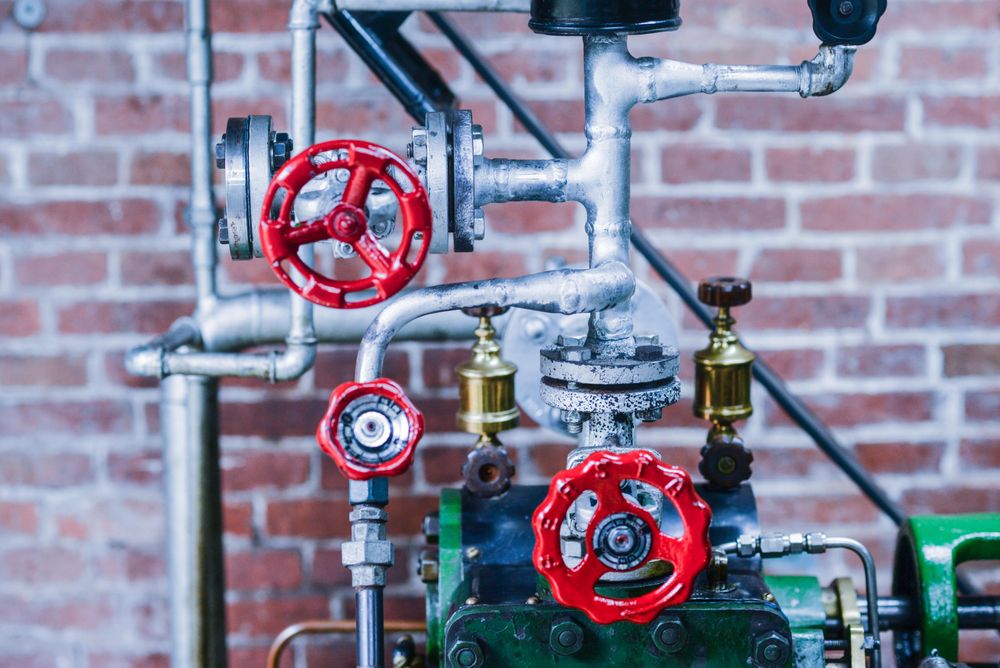
Minecraft steampunk means building the Victorian age of steam, with its machinery left on show, out of the game's blocks: airships moored above a town, clock towers with copper roofs, workshops full of pipes and lamps, and engines that really move. Minecraft suits the style unusually well, because since 2021 the game has had copper, a metal that starts bright and slowly turns green, exactly as real copper roofs and pipes do. Add iron bars, chains, lanterns and dark woods, and most of what a steampunk builder needs is already in the game.
This guide explains how the look of steampunk turns into blocks, which blocks to use for brass, copper, iron and wood, how copper weathers and how to keep it bright, and then how to build an airship, a clock tower and a workshop. It ends with moving parts, mods, and playing and sharing safely. Minecraft comes in two main editions, Java Edition and Bedrock Edition. Building blocks are almost the same in both, and where they behave differently we say so. Block names and behaviour here are as the Minecraft Wiki described them on 12 November 2026; the game is updated often, so check the wiki if something has changed.
How steampunk turns into Minecraft blocks
Start with the look
Steampunk is the nineteenth century with its machines on show: brass and copper, riveted iron, dark polished wood, leather, glass, gauges, pipes and gears. Our guide to the steampunk aesthetic explains what makes the style recognisable. In Minecraft you cannot carve a curve or engrave a dial, so the trick is to suggest those things with colour, texture and shape. A row of trapdoors reads as riveted panels, a line of chains reads as rigging, and a block of weathered copper next to a block of bright copper reads as an old machine that has been patched.
Pick a small palette
Most good steampunk builds use only five or six main blocks: one bright metal for brass, copper in one or two stages of weathering, a dark wood, a brick or dark stone, glass, and one detail block such as iron bars. Too many materials make a build look like a scrapyard. Choose the palette before you start, and keep a chest of each block close to hand.
Build big, and show the workings
Detail needs room. A boiler three blocks wide is just a box; a boiler nine blocks wide can have bands of copper round it, a hatch, pipes leading away and a gauge on the front. Build larger than feels natural, and put the machinery outside rather than hiding it: pipes running along walls, gears on the outside of a tower, a chimney that clearly comes from a furnace below. That is the difference between a brown house and a steampunk one.
Blocks for brass, copper, iron and wood
Brass and gold
For the warm yellow of brass, builders use the block of gold, made from nine gold ingots on a crafting grid, and fresh, unweathered copper, which has a pinkish orange shine. Gold is expensive to gather in survival mode, so keep it for details such as the rim of a porthole, the bands of a boiler or the face of a clock.
Copper
Copper arrived in Java Edition 1.17, the update called Caves & Cliffs: Part I, released on 8 June 2021. It brought the copper ingot, the block of copper, cut copper with its slabs and stairs, and the lightning rod. Cut copper has a pattern of panels and is the most useful block in steampunk building: crafting a block of copper into cut copper gives four pieces, and a stonecutter gives four as well and also makes slabs and stairs. The Tricky Trials update, Java Edition 1.21, released on 13 June 2024, added chiseled copper, the copper grate (a see-through block of copper lattice), the copper bulb, the copper door and the copper trapdoor. The Copper Age, released on 30 September 2025 as Java Edition 1.21.9 and Bedrock Edition 1.21.111, added the copper chest, the copper lantern, the copper torch, copper chains, copper bars, copper tools and armour, and the copper golem.
Iron
Iron gives the cold grey of rivets, railings and machinery. Iron bars are a see-through block that joins up with its neighbours like a glass pane, which makes them good for railings, grilles and the cage round a lamp; copper bars now exist too. The iron chain, simply called the chain until The Copper Age renamed it, can be placed upright or lying flat in either direction, so it works both as rigging and as a pipe. A lantern hangs neatly from a chain or from the underside of most blocks, and gives light level 15, among the brightest in the game.
Wood, brick and stone
Dark woods give the Victorian study and the airship deck: dark oak planks are the brownest, and spruce is a warm middle brown. Bricks suit factories, mills and station buildings, and deepslate tiles, a decorative grey stone, make a good sooty base for engines and chimneys. Glass panes make windows thin enough to look like a real frame.
| Steampunk material | Blocks to try |
|---|---|
| Polished brass | Block of gold, fresh cut copper |
| Old copper with a green patina | Weathered or oxidized copper, waxed |
| Iron rivets and railings | Iron bars, iron chain, trapdoors |
| Dark polished wood | Dark oak and spruce planks, slabs and stairs |
| Soot and smoke | Deepslate tiles, bricks, campfires |
| Lamps and gauges | Lanterns, copper bulbs, item frames |
Copper that turns green, and how to stop it
The four stages
Copper in Minecraft weathers the way real copper does, which the game calls oxidation. A plain block of copper passes through four stages: the fresh block of copper; exposed copper, which is discoloured with the first green spots; weathered copper, which is mostly green with brown spots; and oxidized copper, which is a blue-green teal all over. Every copper block weathers this way, including cut copper, slabs and stairs, chiseled copper, grates, bulbs, doors, trapdoors, lanterns, chains, bars, chests and the lightning rod.
How it happens
Weathering happens slowly over time, on what the game calls random ticks. Rain and water do not speed it up, and covering copper with other blocks does not stop it. The Minecraft Wiki describes how it works in Java Edition: a block looks at the copper around it, and copper in a large group weathers much more slowly than single blocks spaced apart, with the change usually starting at the corners and edges and spreading inwards. The wiki does not set out Bedrock Edition's rules in the same detail, so expect the timing to differ between the two editions.
Waxing: keeping copper as it is
To stop copper changing, wax it. Use a honeycomb on the block, or craft the two together, and it becomes waxed copper, which looks exactly the same but never weathers further. This is how builders choose their colour: let a roof turn green, then wax it at the stage they like, or wax new copper at once to keep it bright for ever. Because waxed and unwaxed copper look identical, keep the waxed blocks in a separate chest so they do not get mixed up.
Scraping and lightning
An axe used on copper scrapes it back. If the block is waxed, the first use removes the wax; after that, each use takes the block back one stage, so oxidized copper becomes weathered, then exposed, then bright again. It does not work while you hold a shield in your other hand. Lightning also cleans copper: a strike on an unwaxed copper block removes all its weathering, and nearby unwaxed copper can be cleaned at random. That matters if you put a lightning rod on a copper roof, because a storm can undo years of green. Wax the roof first.
Copper bulbs and the copper golem
Copper bulbs grow dimmer as they weather. Lit, a fresh bulb gives light level 15, an exposed one 12, a weathered one 8 and an oxidized one 4, so wax your bulbs at the brightness you want. The copper golem, from The Copper Age, is a small living copper figure, made by placing a carved pumpkin or a jack o'lantern on top of a block of copper. It weathers too, and if it reaches the last stage it can freeze into a copper statue. A honeycomb waxes it and stops that happening, and an axe can scrape a statue back to life.
Building an airship

The shape
An airship has two parts: the long envelope that holds the gas, and the gondola, the cabin or deck hanging below it. Our guide to steampunk airships shows how the style exaggerates both, with open decks, propellers, sails and a great deal of brass. In Minecraft, build the envelope first. Draw its outline from the side on paper, then build the middle slice as a rough circle or oval and repeat it along the length, making each slice a little smaller towards the nose and the tail. Our guide to drawing steampunk helps with the first sketch.
Materials
Wool comes in sixteen colours and makes a soft-looking fabric envelope; a pale envelope with darker bands looks like canvas over a frame. Wool is highly flammable, so keep lava, fire and flint away from it. For a metal envelope, use cut copper and wax it at the stage you like. Hang the gondola from the envelope with iron chains, build its deck from dark oak slabs, edge it with railings of iron bars, and give it portholes of glass panes ringed with copper trapdoors or gold.
Engines, propellers and smoke
Put the engines where everyone can see them: copper boilers at the back of the gondola, pipes made of chains running up into the envelope, and propellers built from fences or trapdoors on short arms. For smoke from a funnel, a campfire sends smoke up about 10 blocks, and a hay bale placed directly under it turns it into a signal fire whose smoke rises about 24 blocks. A lit campfire hurts anyone standing in it, so set it inside a chimney, out of the way.
How high to build
In both editions the Overworld can be built on from layer -64 up to layer 319. An airship looks best floating well above the tallest tower of your town, but leave room above it for the envelope. It will stay exactly where you put it: blocks do not fall. Making a ship that actually moves is a bigger project, described under moving parts below.
Building a clock tower or a workshop
A clock tower
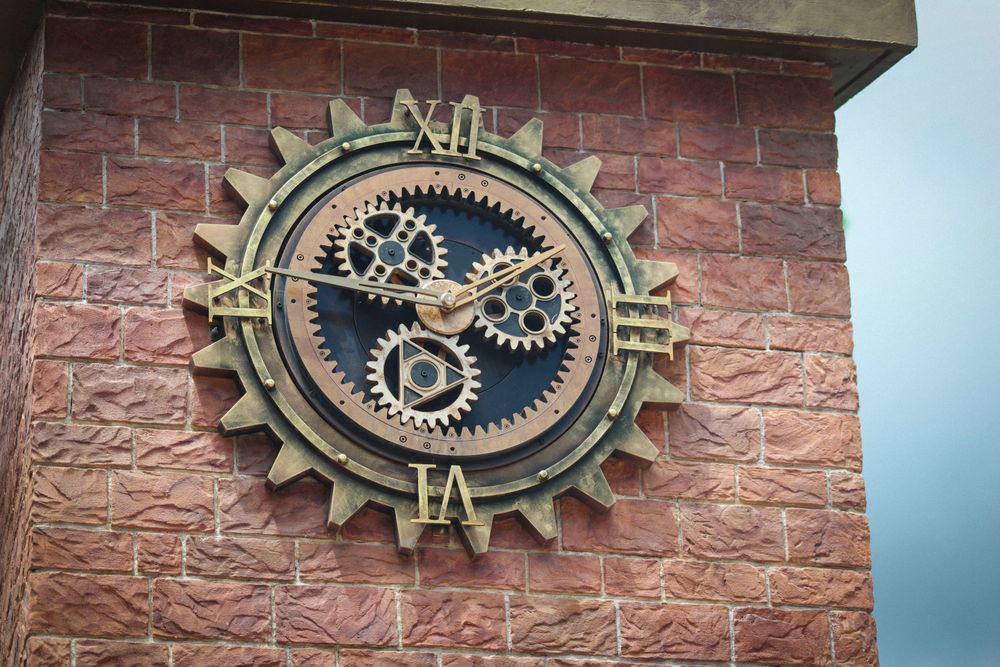
The Victorian clock tower is a gift to a steampunk builder. Build a tall, square tower of brick or dark stone, with a pointed roof of weathered copper and pinnacles at the corners; our guide to Victorian architecture and interiors shows the shapes. There is no giant clock block, so build the face from blocks: a large circle of pale stone or quartz, numerals marked with gold, and hands made from a line of iron or dark blocks. Show the works behind it, with gear wheels built as flat circles of copper and gold on the walls of the room inside, and a long chain hanging down the middle as the pendulum.
A working clock in the wall
Minecraft does have a clock item, crafted from gold ingots and redstone dust. Rather than telling the hour, its dial turns to follow the position of the sun and the moon. To show one on a wall, put it in an item frame, which displays whatever item is placed inside it. A row of them along a workshop wall looks like a bank of dials. Our guide to steampunk clocks has more ideas for faces and frames.
The inventor's workshop
A workshop is the steampunk room in miniature. Line the walls with dark wood shelves and item frames holding tools, lay pipes of iron chain along the ceiling, and set a furnace and a copper boiler at one end. A copper grate makes a good floor over a cellar full of machinery, because you can see through it. A spyglass, made from copper ingots and an amethyst shard, zooms in on distant things and makes a fine telescope for a window seat. Copper chests and a copper golem bring the workshop to life: the golem takes items out of copper chests and carries them to ordinary chests that are empty or already hold the same kind of item, so it sorts your stores while you build.
Lights that come on at dusk
A redstone lamp gives off light only while it receives redstone power. A daylight detector sends out a signal that depends on how much sky light reaches it, and using it switches it to its inverted mode, which gives its strongest signal in darkness. Wired to lamps, it makes them glow as night falls, though it is not a precise clock: the wiki notes it gives a weaker signal at midnight in clear weather than in a fully covered room. Our guide to cogs, gears and machines explains the real machinery that a workshop like this imitates.
Moving parts: pistons, redstone and mods
Pistons and redstone
Redstone is Minecraft's version of wiring: a line of redstone dust carries a signal from a lever, button or detector to the block it powers. A piston pushes blocks when it is powered, up to twelve at once. A sticky piston, crafted from a piston and a slimeball, also pulls the block back when the power stops. Doors and trapdoors, copper ones included, open and close with redstone, and a copper bulb switches on or off with each pulse it receives. With these few parts you can build a hatch that slides open, a drawbridge, or a row of pistons that pump in turn like an engine.
Java and Bedrock behave differently
Redstone is where the two editions part company. In Java Edition a piston can be powered from the block above it, which the wiki calls quasi-connectivity; Bedrock Edition does not do this. Pistons also start at slightly different speeds. So a machine built from instructions for one edition may not work in the other. Always check which edition a design was made for before you copy it.
Flying machines
A flying machine moves a structure through the air with no support. It is built from pistons, observers (blocks that notice a change next to them and send a signal), and slime blocks or honey blocks, which drag the blocks stuck to them along when they move. A player can ride on one. They are harder to build in Bedrock Edition, where the wiki says extensions work in only one direction and most designs need a station to send them back. A small flying machine carrying a gondola is a real moving airship, but start with the wiki's simplest design before you add a deck.
Mods
Mods are unofficial pieces of code that change the game. They are made by players, not by Mojang Studios, which makes Minecraft, and neither Mojang nor the Minecraft Wiki supports them. Mods are mainly a Java Edition thing; Bedrock Edition's own system for changing the game is called add-ons, which are simpler and more limited. Java mods need a mod loader, a program that loads them into the game, such as Forge, NeoForge, Fabric or Quilt, and a mod made for one loader usually will not work with another. The mod steampunk builders mention most is Create. Its own pages describe it as a mod of tools and blocks for building, decoration and automation, which challenges players to build contraptions of moving parts, and which comes with its own guide inside the game called Ponder. Those pages list it for Java Edition with Forge and NeoForge, with a separate port for Fabric. Download a mod only from its own project page, make sure it matches your version of the game, and copy your world somewhere safe before you install anything.
Playing and sharing builds safely
Playing alone or with friends
A single-player world is entirely private. Playing online is different. The NSPCC, the children's charity, points out that Minecraft's public servers can be joined by anyone with an account, and that every server has a chat. Internet Matters, a UK online safety organisation, advises keeping children off public servers and letting them play only on private worlds with friends they know. A Realm is Mojang's paid private server, which Internet Matters describes as a way for a child to play with up to ten friends without strangers joining.
Settings for parents
Children's settings are managed through their Microsoft account and the Xbox privacy and online safety settings, which apply to Minecraft. There, a parent can choose whether others can talk to a child by voice, text or invites: everyone, friends only, or nobody. Inside the game, Internet Matters suggests setting chat to Commands Only or Hidden, and switching web links off. Other players can be muted, blocked and reported. Screen time and spending limits are set on the console, phone or computer, not in Minecraft itself.
Sharing what you build
A steampunk build deserves to be seen, and screenshots and videos are the easiest way to share one. Before you post, check that nothing in the picture gives away personal details such as your real name, your school or where you live, including signs and books inside the build; Internet Matters reminds children that not everyone online is who they say they are. If a child wants to share a world, a parent should do the posting. Download other people's worlds, mods and add-ons only from their makers' own pages.
Where to go next
For more steampunk worlds to explore, see our guide to steampunk games. For real machines to copy, our guide to steampunk trains, cars and machines is full of shapes that turn well into blocks.